A Beginner's Guide to Meta Business Suite: Manage Facebook and Instagram in One Place
Meta Business Suite brings Facebook Page and Instagram business management together: posts, inbox, ads, insights and team access. Learn its main features, how to set up admin access safely, and when a business needs tools beyond Business Suite.

Antonio Kurniawan
Product & Customer Success

On this page
- Business Suite, Business Portfolio and Ads Manager: what's the difference?
- Main features of Meta Business Suite
- Connecting your Facebook Page and Instagram
- Setting up team access safely
- A simple weekly workflow
- Using the Business Suite inbox effectively
- Planning content with the Business Suite planner
- Limits of Meta Business Suite
- Example: a local skincare brand
- The Business Suite mobile app
- Common mistakes
- Summary
Key takeaways
- Meta Business Suite is a free tool for managing a Facebook Page and a professional Instagram account from one dashboard.
- Its main features are a combined inbox, a content planner, insights, ads and basic message automation.
- Team access should be set up through a Business Portfolio with the right roles, not by sharing passwords.
- The Business Suite inbox suits small teams; teams that also serve WhatsApp, Telegram and webchat need an omnichannel inbox.
- Schedule a week of content ahead and review insights monthly to decide which content to do more of.
Meta Business Suite is a free Meta tool for managing a Facebook Page and a professional Instagram account in one place. It includes an inbox that combines Messenger messages and Instagram DMs, a planner for scheduling posts, insights on content performance, access to ads and basic message automation settings. For small and mid-sized businesses, Business Suite is the right starting point. As the team grows and chats also come from WhatsApp, Telegram or the website, Business Suite is usually complemented by an omnichannel inbox with chat assignment and per-agent reports.
This guide covers Business Suite's main features, how to set up team access safely, a simple weekly workflow and the signs your business needs extra tools.
Business Suite, Business Portfolio and Ads Manager: what's the difference?
Many owners are confused by the number of Meta tool names. The easiest way to see it:
All three are connected. Assets owned in the Business Portfolio appear in Business Suite and Ads Manager according to the access you grant.
Main features of Meta Business Suite
Home
The home page summarises activity: unanswered messages, recent posts and recommendations. Make a habit of opening it every morning to see what needs attention that day.
Inbox
The inbox combines Messenger messages, Instagram DMs and comments from both platforms. You can add labels, mark conversations done, assign them to team members and use saved replies. For small teams serving only Facebook and Instagram, this inbox already helps a lot.
Planner and post composer
You can create posts and Stories for Facebook and Instagram at once and schedule them. This saves time, because a week of content can be prepared in one work session.
Insights
Insights show reach, engagement, follower growth and the performance of each post. This helps you decide which content to do more of. For Instagram, see the deeper guide in how to read Instagram Insights.
Ads
Business Suite lets you create simple ads, such as boosting a post or ads that lead to messages. For detailed setup, use Ads Manager.
Automation
In the automations menu, you can set instant replies, away messages, frequently asked questions and keyword replies for Messenger and Instagram. The steps are in how to set up Facebook Messenger auto-replies.
Connecting your Facebook Page and Instagram
For all these features to work on both platforms, the Instagram account must be professional and connected to the Facebook Page. You can connect it from Business Suite settings or from the Instagram app under the business account settings. Once connected, Instagram DMs appear in the Business Suite inbox, and posts can be scheduled to both platforms at once.
If you do not have an Instagram business account yet, follow how to create an Instagram business account.

Setting up team access safely
The golden rule: everyone uses their own Facebook account, and access is granted through the Business Portfolio according to their tasks. Never share the owner's personal password.
A few practices help. Give full control to only the two most trusted people, so business assets are not locked if one account runs into trouble. Give partial access for specific tasks, for example the content team can only create posts and the chat team can only reply to messages. Turn on two-factor authentication for everyone with access. Review the access list every three months and remove people you no longer work with.
A simple weekly workflow
Business Suite helps most when used on a consistent rhythm. An example weekly workflow for a small team:
Monday morning: review last week's insights, note the three posts with the highest engagement and the questions that came up most in the inbox.
Monday afternoon: create and schedule content for the week ahead, including one post that answers a popular inbox question.
Every day: reply to messages and comments at least three times, in the morning, at midday and in the afternoon. Mark finished conversations as done so the inbox stays tidy.
Friday: check running ads, stop those with high costs and weak results, and prepare new variations of the best ones.
Using the Business Suite inbox effectively
The Business Suite inbox feels much lighter with a few simple habits. First, use filters to separate unread, unanswered and finished messages. Many teams only look at the top of the list and miss messages buried further down. Second, save replies for the questions that come up most, such as price, how to order, shipping and opening hours. Saved replies keep answers consistent whoever replies.
Third, mark conversations as done as soon as they are resolved. A clean inbox shows the team the work that is really left. Fourth, treat comments as an entry point to conversations. When someone asks in the comments, reply briefly in public and continue the details by message. Business Suite shows comments and messages in the same place, which makes the switch easy.
Finally, pay attention to messages from people contacting you for the first time. They are usually your warmest prospects. A fast, friendly reply to the first message largely decides whether the conversation turns into a sale.
Planning content with the Business Suite planner
The content planner helps you stop posting at the last minute. Start by choosing three or four content pillars relevant to your business, such as product education, customer testimonials, behind the scenes and offers. Each week, fill the schedule with a mix of these pillars so the account does not feel like a constant promo flyer.
Use the preview to see how a post appears on Facebook and Instagram, because image sizes and text cut-offs can differ. Schedule posts when followers are most active, which you can see in insights. Leave room for spontaneous content, such as a sudden restock or a moment everyone is talking about.
Limits of Meta Business Suite
Business Suite is excellent for Facebook and Instagram, but its limits show as the business grows:
Facebook and Instagram only. WhatsApp, Telegram and website live chat must be handled elsewhere.
Limited chat assignment. You can assign conversations to team members, but automatic assignment by workload or rotation is less flexible than in a dedicated inbox.
Limited team reporting. It is hard to see response time per agent or how many chats became sales.
Simple rule-based automation. There is no AI agent that understands open questions and hands chats to people.
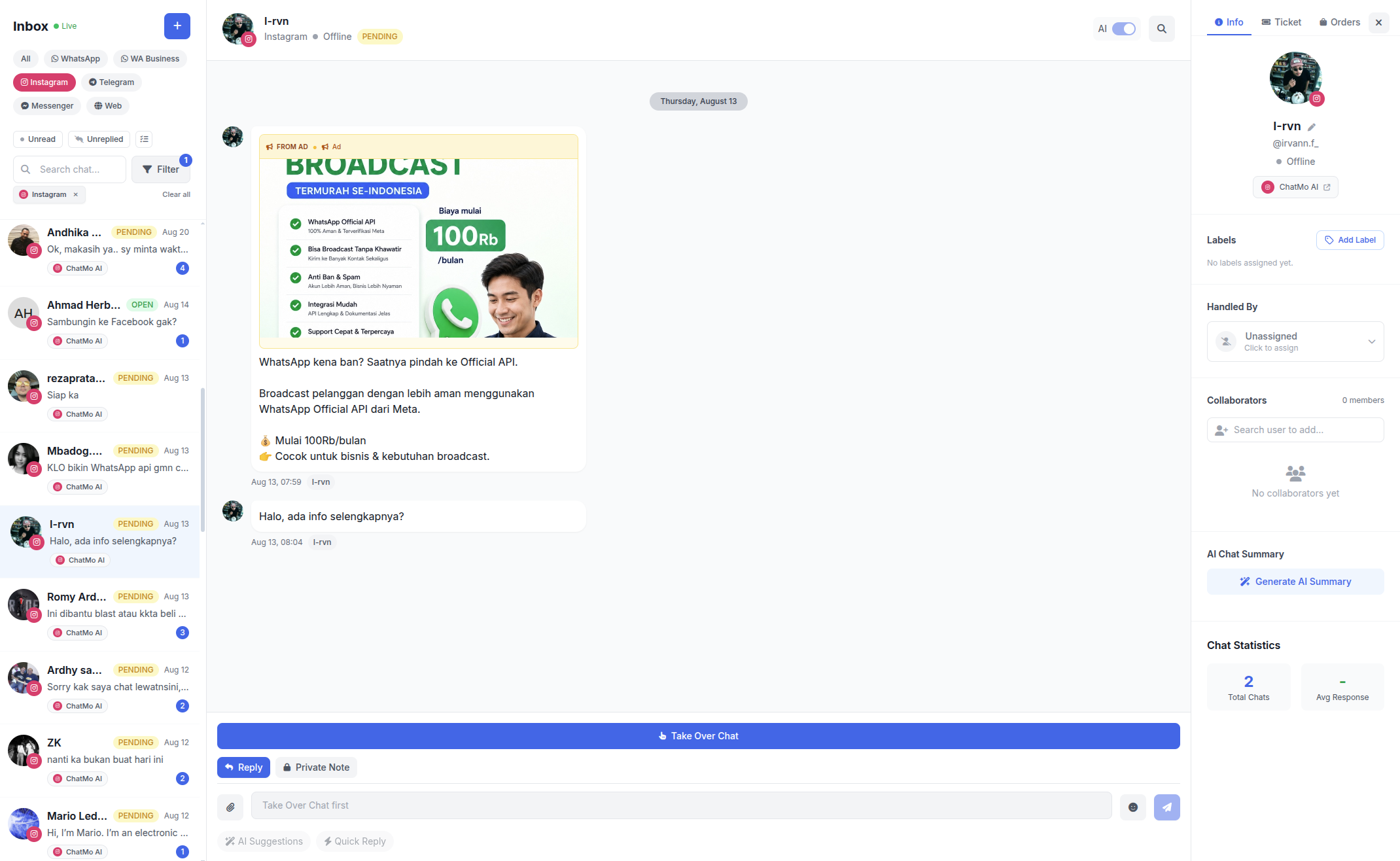
In ChatMo, your Facebook Page and Instagram account connect to the same shared inbox as WhatsApp, Telegram and webchat. Chats are assigned automatically, an AI agent can answer after hours and reports show each agent's performance. You can keep using Business Suite for content and insights while conversations are handled in one inbox.
Example: a local skincare brand
A local skincare brand with a team of three used Business Suite to schedule content and reply to DMs. At first, all three opened the same inbox without any split, so some DMs got two replies and others were missed. They started using labels in the Business Suite inbox, Product Question, Order and Complaint, and assigned each conversation to one person.
When the brand started advertising to WhatsApp and chat volume tripled, they moved conversations to an omnichannel inbox so Instagram DMs, Messenger and WhatsApp landed in one place with automatic assignment. Business Suite stayed in use for the content planner and weekly insights, which guided their choice of the next ad creative.
The Business Suite mobile app
Business Suite is also available as a phone app, which helps owners who are often away from the office. From the app, you can reply to messages and comments, see notifications, schedule posts and check basic insights. Turn on notifications for new messages only so you are not flooded with alerts. For detailed work, such as managing team access or building complex ads, the desktop version is still more comfortable. If several people reply from their own phones, agree on who owns which messages to avoid double replies.
Common mistakes
Sharing one account for everyone. There is no trail of who did what, and it is risky when someone leaves.
Only one owner with full control. If that account runs into trouble, every business asset can be locked.
Not connecting Instagram. DMs must be answered in a separate app and insights are incomplete.
Letting the inbox pile up. Messages not marked done make it hard to see what still needs a reply.
Never checking insights. Content and ad decisions end up based on guesswork.
Summary
Meta Business Suite is a free tool for managing a Facebook Page and Instagram in one place.
Use the inbox, planner, insights, simple ads and basic automation.
Set up team access through the Business Portfolio with the right roles and two-factor authentication.
Run a consistent weekly workflow.
When chats come from many channels and the team grows, add an omnichannel inbox.
Frequently asked questions
What is Meta Business Suite?
Meta Business Suite is a free Meta tool for managing a Facebook Page and a professional Instagram account in one place, including posts, messages, ads, insights and team access.
Is Meta Business Suite free?
Yes. Meta Business Suite is free to use. Costs only come from running ads.
What is the difference between Meta Business Suite and Business Manager?
Business Manager is now known as Business Portfolio, where business assets such as Pages, ad accounts and WhatsApp accounts are owned and access is managed. Meta Business Suite is the day-to-day interface for managing content, messages and ads for those assets.
Can I reply to Instagram DMs from Meta Business Suite?
Yes, if the professional Instagram account is connected to the Facebook Page. Messenger messages and Instagram DMs appear in the same inbox.
When does a business need tools beyond Meta Business Suite?
When chats also come from WhatsApp, Telegram or the website, when more than a few agents need automatic chat assignment, or when you need AI agents and per-agent performance reports.
About the author
Antonio Kurniawan
Product & Customer Success
The ChatMo product and customer success team helps Indonesian businesses run WhatsApp, Instagram and webchat conversations with AI agents and shared inboxes.