How to Create a TikTok Business Account: Features, Limits and Setting Up a Profile That Sells
A TikTok business account unlocks analytics, ad tools, automatic messages for eligible accounts and a more professional identity. Learn how to switch from a personal account, the commercial music limit, how to fill in your profile and how to steer viewers into conversations.

Antonio Kurniawan
Product & Customer Success
On this page
- Personal or business account?
- Steps to switch to a business account
- The music limit you need to understand
- Filling in a profile that sells
- Features unlocked by a business account
- Steering viewers into conversations
- Preparing your team for TikTok chats
- Content habits for business accounts
- Reading TikTok business account analytics
- Treating comments as sales opportunities
- Example: an air conditioner service
- Keeping your TikTok business account secure
- Common mistakes
- Summary
Key takeaways
- A personal account can be switched to a TikTok business account for free in account settings.
- Business accounts unlock analytics, ad tools, business categories and messaging features for eligible accounts.
- Business accounts use the Commercial Music Library, so not every popular song can be used in videos.
- A profile that sells explains who you are, what you sell and where viewers should go next.
- TikTok policies and feature requirements can change, so always check the TikTok Help Center for your account.
Creating a TikTok business account is simple: open your profile, go to Settings and privacy, choose Account, then Switch to Business Account. Pick the category that best describes your business and complete your profile. It is free and keeps your videos and followers. A business account unlocks analytics, ad tools and messaging features for eligible accounts, with one important limit: the music you can use is restricted to the Commercial Music Library licensed for business. After switching, focus on a clear profile and a path that takes viewers from video to conversation.
This guide covers the differences between business and personal accounts, the switching steps, how to fill in your profile, the features you unlock and habits that help a business account produce customers, not just views.
Personal or business account?
If your account represents a business and you plan to advertise, use analytics to make decisions or use business messaging features, a business account is the right choice. If you are building a personal brand and rely heavily on popular music trends, consider the music limit before switching.
Steps to switch to a business account
Open the TikTok app and go to your profile.
Tap the menu at the top right, then choose Settings and privacy.
Choose Account, then Switch to Business Account.
Pick the category that fits best, such as Clothing and Accessories, Beauty, Food and Drink or Education Services.
Complete your profile: photo, name, bio and any available contact details.
Check your message settings so prospects can contact you as needed.
Your videos, followers and account history stay the same. Analytics start collecting from activity after the switch.
The music limit you need to understand
Business accounts use the Commercial Music Library, licensed for business use. This means many popular songs heard in personal account videos are not available. It is not a reason to avoid a business account, but you need to work around it:
Use original audio, such as the owner explaining directly or the sound of your production process.
Use music from the commercial library that other business accounts are currently using.
Focus on content that is engaging because of what it shows, not just the song.
Content that answers questions, shows a process or reveals a result often stays engaging without a viral track.
Filling in a profile that sells
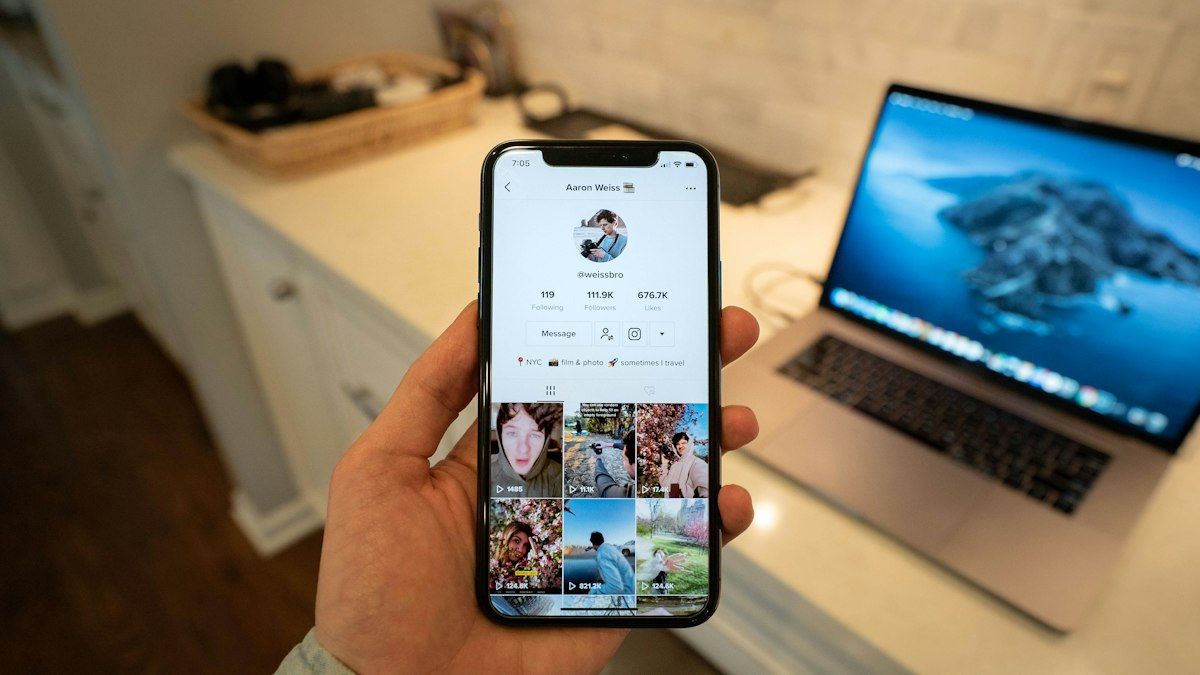
Viewers often open a TikTok profile after watching one interesting video. This is where they decide to follow, get in touch or leave.
Name and username. Use the brand name customers know. The name field can include a short keyword, such as "Glowly Skincare".
Profile photo. A logo, or the owner's face if your brand is built on personal branding.
Bio. Answer three things: who you are, what you sell and what viewers should do next. For example: "Kitchen renovation across Greater Jakarta. Free site survey. Tap the link for a consultation."
Link. If the website field is available to your account, point it to where conversations or sales happen, such as a WhatsApp link with a pre-filled message or a catalog page. Profile link availability depends on account type and TikTok's requirements.
Pinned videos. Pin your three best videos at the top of your profile: a brand introduction, a testimonial and one explaining how to order.
Features unlocked by a business account
Analytics. See views, watch time, traffic sources and audience profiles. This data helps you choose formats and topics.
Ad tools. Promote videos or create ads in TikTok Ads Manager, including ads that start conversations. The full guide is in TikTok Messaging Ads.
Automatic messages. For eligible accounts, TikTok offers welcome messages, keyword replies and suggested questions. Check the TikTok Help Center for the current requirements on your account.
Business category and contact details. These help viewers understand your business and reach you through the available routes.
Steering viewers into conversations
Views without conversations rarely lead to sales, especially for services and products that need advice. Build a clear path from video to chat:
A call to action at the end of the video, such as "Want an estimate for your home? Tap the link in our profile."
A pinned comment with the same call to action.
Video replies to comments for frequently asked questions, ending with an invitation to consult.
A profile link to WhatsApp with an opening message that includes a video code, so you know which video produced the lead.
The full guide to moving viewers from TikTok to WhatsApp, including the TikTok Shop rules you must follow, is in how to move TikTok viewers to WhatsApp.
Preparing your team for TikTok chats
A TikTok video can suddenly take off in the evening and send dozens or hundreds of chats within hours. Make sure someone is ready to reply, prepare quick replies for common questions and consider an AI agent for after hours.
In ChatMo, chats that come from TikTok through a WhatsApp link land in the shared inbox. A WhatsApp Official workflow can read the video code in the first message and add a source label automatically, so you know which videos produce the most conversations and orders. Note that ChatMo does not manage TikTok DMs directly today, so DMs inside TikTok are still answered in the TikTok app.
Content habits for business accounts
Successful business accounts usually have a consistent rhythm and clear formats. A few habits that help:
Post regularly, such as three to five videos a week, rather than many at once followed by silence.
Show the result or the problem in the first three seconds. A logo at the start makes viewers scroll away.
Use series formats, such as "Kitchen renovation tips part 1, 2, 3", so viewers come back.
Answer comment questions with new videos. It is an endless source of content ideas.
Review analytics weekly to see which videos bring profile visits and link taps, not just views.
Reading TikTok business account analytics
Analytics are the main reason many businesses switch to a business account. But the most visible number, views, is often not the most important one. For businesses that sell through conversations, watch three things. First, average watch time and the share of viewers who watch to the end. Videos watched to the end are more likely to have viewers read the closing call to action. Second, profile visits after a video, a sign viewers want to know more about your business. Third, profile link taps, the step closest to a conversation and a purchase.
Compare videos with similar topics and formats, then look for patterns. If tutorials always bring more profile visits than entertainment videos, make more tutorials even if their views are lower. Combine this data with the number of chats arriving from your profile link to know which videos actually produce customers.
Treating comments as sales opportunities
TikTok comments are often where prospects ask their first questions: "How much is it?", "Do you ship to Surabaya?", "Where can I buy this?". Replying quickly shows your business is active and responsive. For questions that repeat, pin one comment with the answer and an invitation to get in touch through your profile link.
Use video replies for interesting questions. Reply videos often earn extra views because viewers with the same question want to see the answer. Turn on keyword filters to hide spam or abusive comments so the comment section stays pleasant for prospects. The full guide to managing DMs and comments is in how to reply to TikTok DMs and comments.
Example: an air conditioner service
An air conditioner service in Bekasi switched to a business account after several of its videos about signs an AC needs cleaning got thousands of views. Before that, viewers asked in the comments and the owner replied one by one with a phone number.
After switching, they filled the bio with service areas and the prompt "Tap the link to book a service", added a WhatsApp link with an opening message containing a video code and pinned their three best videos. Every video now ends with the same call to action. Chats from TikTok arrive on WhatsApp with clear context, and agents can offer a slot right away without asking about the customer's need again.
Keeping your TikTok business account secure
A business account with many followers is a valuable asset and a common target for takeovers. Turn on two-step verification, use a secure business email and never give your login code to anyone, including people claiming to be from TikTok or a partner agency. If several people manage the account, limit who holds the password and keep track of logged-in devices. Watch out for messages claiming your account broke copyright rules and asking you to click a link to appeal, a common trick for stealing accounts.
Common mistakes
Running a business from a personal account. No analytics or ad tools.
A bio that does not explain the next step. Viewers are interested but do not know where to go.
Relying on viral songs unavailable to business accounts. Plan content with the commercial library or original audio.
No path to a conversation. High views without chats rarely produce sales.
Not being ready when a video takes off. Chats pile up and opportunities are lost.
Summary
Switch to a business account in Settings and privacy and choose the right category.
Understand the Commercial Music Library limit and work around it with original audio and valuable content.
Fill in a profile that explains who you are, what you sell and the next step.
Use analytics, ad tools and messaging features for eligible accounts.
Build a clear path from video to conversation and prepare your team to reply.
Frequently asked questions
How do I create a TikTok business account?
Open your TikTok profile, go to Settings and privacy, choose Account, then switch to Business Account. Pick the category that fits best, then complete your profile and contact details.
Is a TikTok business account free?
Yes. Switching to a business account is free. Costs only come from ads or other paid services.
What is the difference between business and personal accounts on TikTok?
Business accounts have a business category, analytics, ad tools and messaging features for eligible accounts, but music is limited to the Commercial Music Library.
Can TikTok business accounts use popular songs?
Business accounts are limited to the Commercial Music Library, which is licensed for business use. Many songs available to personal accounts are not available to business accounts.
How do I add a link to a TikTok business profile?
Fill in the website field in profile settings if the feature is available to your account. Profile link availability depends on account type and TikTok's requirements.
About the author
Antonio Kurniawan
Product & Customer Success
The ChatMo product and customer success team helps Indonesian businesses run WhatsApp, Instagram and webchat conversations with AI agents and shared inboxes.