Ad Landing Pages With Live Chat: How to Turn Google Ads and Meta Ads Clicks Into Conversations
Many ad clicks are wasted because landing page visitors have questions and nobody answers. Learn how to design ad landing pages that spark conversations, place live chat and WhatsApp buttons well, keep the message consistent with the ad, and measure cost per qualified conversation.

Antonio Kurniawan
Product & Customer Success
On this page
- Why ad clicks are often wasted
- Designing a landing page that sparks conversations
- Live chat or a WhatsApp button?
- Placing the widget and buttons
- Tracking the campaign source in every conversation
- Preparing the team for busy ad hours
- Page speed and ad costs
- Metrics to watch
- Writing a chat greeting that matches the ad
- Testing and improving landing pages regularly
- Following up with visitors who left before finishing
- Example: a kitchen renovation service
- Common mistakes
- Summary
Key takeaways
- Visitors from ads arrive with specific questions; live chat on the landing page catches them before they return to search results.
- The landing page message must match the ad that was clicked, including the offer and price.
- Place live chat or a WhatsApp button where it is easy to reach without covering the main button.
- Track the campaign source in every conversation so cost per conversation and per order can be calculated per ad.
- Ads are often busiest in the evening, so prepare an AI agent or team schedule so paid clicks are not wasted.
Ad landing pages with live chat solve a problem advertisers often overlook: visitors who clicked an ad, cost money to bring in and then left because one question went unanswered. Visitors from Google Ads usually look for a specific solution, while visitors from Meta Ads are drawn in by the ad content. Both often want to know the price, availability or whether you serve their area. Live chat or a WhatsApp button on the landing page gives them a way to ask without filling in a long form. The keys are three things: a landing page message that matches the ad, chat placement that is easy to reach and campaign source tracking in every conversation so cost per order can be calculated.
This guide covers how to design landing pages that spark conversations, choosing between live chat and a WhatsApp button, tracking ad sources, preparing the team for busy hours and the metrics to watch.
Why ad clicks are often wasted
Advertisers usually focus on cost per click and click-through rate. Yet what happens after the click matters far more. Some reasons visitors leave a landing page:
The message does not match the ad. The ad promised a particular offer, but the landing page does not mention it.
Key information is missing, such as price, service area or how to order.
The form is too long for someone who only wants to ask one thing.
The page loads slowly, especially on mobile.
There is no quick way to ask. Undecided visitors have no option but to go back to the search results.
Live chat fixes the last point, but it still needs a good landing page to address the others.
Designing a landing page that sparks conversations
A headline that repeats the ad's promise. If the ad says "Kitchen renovation from Rp15 million, free site survey", the landing page headline should repeat that promise, not a generic company headline.
Core information on the first screen. The offer, price range, service area and a button to ask should be visible without scrolling.
Relevant proof. Photos of finished work, customer testimonials or figures such as the number of completed projects help visitors trust you.
Common questions on the page. Answer the three to five most frequent questions, so live chat handles more specific ones.
One main goal. An ad landing page should have one clear call to action, such as "Ask for a cost estimate", not many buttons with different goals.
Live chat or a WhatsApp button?
Many businesses use both: a live chat widget for quick questions and a WhatsApp button for visitors who want to continue in their favourite app. Live chat, WhatsApp buttons and forms are compared in website live chat for business.
Placing the widget and buttons
Poor placement can make chat a nuisance. A few guidelines:
Do not cover the main button, especially on mobile. Test on different screen sizes.
Choose a consistent position, usually bottom right, so visitors find it easily.
Use auto-open carefully. A chat window that opens as the page loads can feel intrusive and cover content. On ad landing pages, let visitors read first.
Write a greeting relevant to the ad, such as "Want an estimate for your kitchen renovation? Ask here."
In ChatMo, the webchat widget lets you set the position, size, agent name and photo, auto-open and pre-chat form, so it can match your landing page.
Tracking the campaign source in every conversation
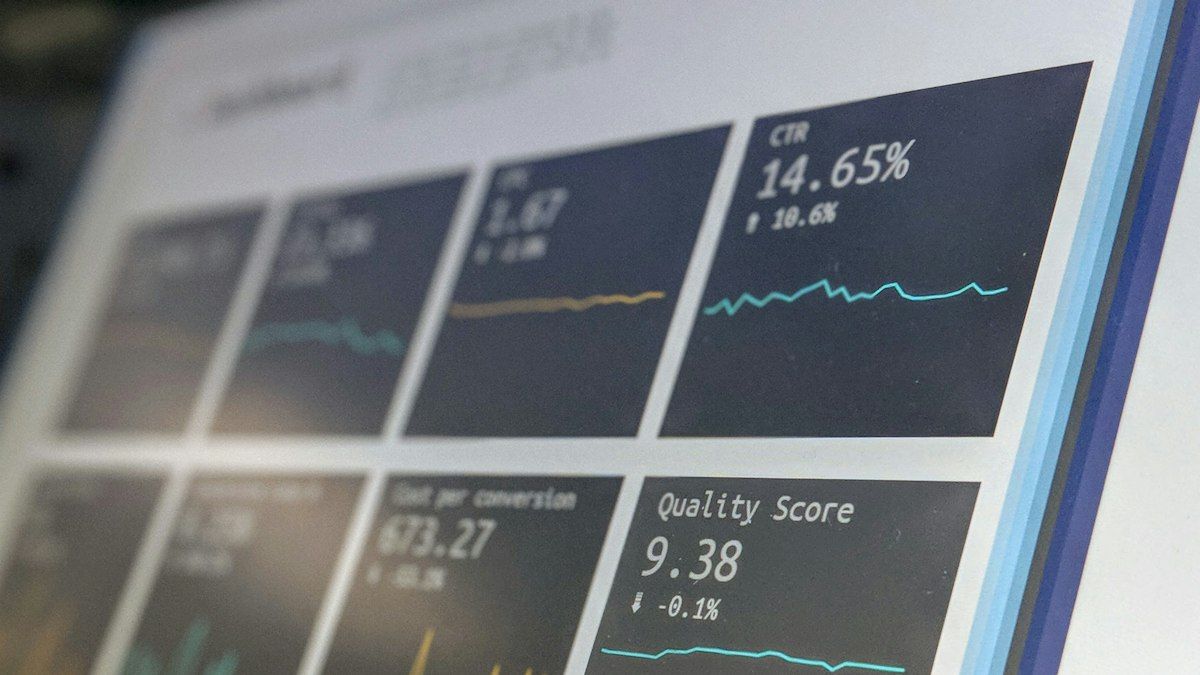
Without tracking, you know conversations are rising but not which ads produce orders. A few ways to track:
UTM parameters. Add UTM parameters to ad links to mark the source, campaign and creative. Your website analytics can read this data and use it to connect visits with conversations.
Opening messages with a code. For the WhatsApp button, use a wa.me link with an opening message containing a campaign code, such as "Hi, I'd like a renovation estimate (GADS-KITCHEN)". Here is how: WhatsApp link and QR code for business.
Separate landing pages per campaign. If the budget allows, build different landing pages for different campaigns, so each conversation's source is obvious from the page.
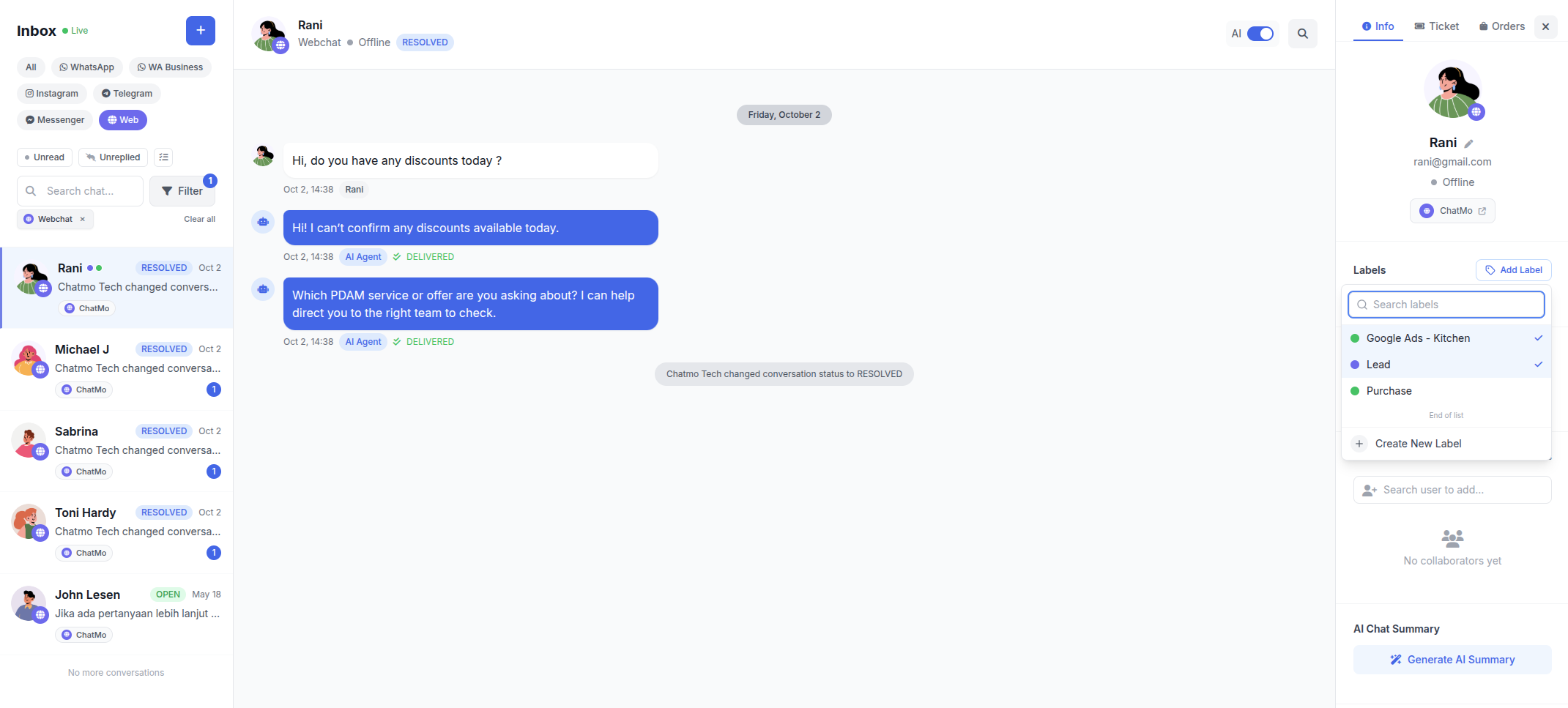
Labels in the inbox. Label every conversation with its source, such as "Google Ads - Kitchen" or "Meta Ads - October Promo". In ChatMo, a WhatsApp Official workflow can add labels automatically based on the code in the first message.
Preparing the team for busy ad hours
Ads are often busiest in the evening and at weekends, when many teams are off. Clicks that arrive when nobody can reply are wasted spend. Options to consider:
Schedule ads around your team's hours if evening volume is not critical.
Add a shift or part-time agents for peak hours.
Add an AI agent that answers common questions 24 hours and collects contact details, then agents continue during working hours.
How to set up an AI chatbot on your website is covered in how to add an AI chatbot to your website.
Page speed and ad costs
Landing page speed affects visitor experience and, on some platforms, also affects ad quality assessments. After installing a chat widget, test page speed on mobile. Compress images, avoid unnecessary scripts and make sure the widget loads without blocking the main content. A fast page makes visitors more likely to read the offer and start a conversation.
Metrics to watch
Campaigns with cheap clicks are not always the most profitable. Campaigns with pricier clicks that produce more qualified conversations and orders are often the better choice.
Writing a chat greeting that matches the ad
The first greeting in the chat widget is a chance to continue the story from the ad. Visitors who clicked a free survey offer are more interested when the chat greeting mentions that offer, such as "Hi! Want to book a free survey for your kitchen this week?", rather than a generic "How can we help?". If you run several campaigns with different offers, consider a different greeting for each landing page.
Also make sure the AI agent's or agent's first answer matches the ad. If the ad says prices start from a certain amount, the first answer should not quote a different price without explanation. Small mismatches like this can make visitors feel tricked and leave immediately.
Testing and improving landing pages regularly
Good landing pages are rarely perfect in their first version. Test one change at a time, such as a different headline, the WhatsApp button position or the chat greeting text, then compare the share of visitors who start a conversation and the cost per qualified conversation. Run each version long enough to get meaningful data, usually a few hundred visits.
Use conversation content to improve the page too. If many visitors ask the same thing in chat, add the answer to the landing page. If many ask whether you serve their city, show your service areas clearly. Every repeated question is a clue about information that is not yet clear enough on the page.
Following up with visitors who left before finishing
Not every visitor finishes the conversation. Some ask and close the page before getting a reply. If they shared contact details through the pre-chat form or during the conversation, the team can follow up with a message that refers to their question. One relevant follow-up is often enough to revive interest, so the click you already paid for is not wasted.
Example: a kitchen renovation service
A kitchen renovation service in Tangerang ran Google Ads for keywords around kitchen sets and kitchen renovation. Its landing page had a seven-field form, and most visitors left without filling it in.
They redesigned the landing page: the headline repeated the ad's promise, the price range and project photos appeared on the first screen, and the form was replaced by a live chat widget and a WhatsApp button with an opening message containing a campaign code. An AI agent answers questions about materials, cost ranges and service areas in the evening, then asks for kitchen photos and a WhatsApp number. Agents continue the conversation the next morning with a cost estimate. With source labels on every conversation, they could see which keywords produced the most site surveys and moved budget there.
Common mistakes
A landing page that does not match the ad. Visitors feel they are in the wrong place and leave.
A widget covering the main button on mobile. Visitors struggle to read or tap.
Ads running when nobody can reply. Paid clicks are wasted.
Not tracking conversation sources. You cannot tell which ads produce orders.
Judging ads by cost per click alone. Budget decisions go wrong.
Summary
Ad clicks are often wasted because visitors' questions go unanswered.
Design landing pages that match the ad and show core information on the first screen.
Offer live chat, a WhatsApp button or both, without covering the main button.
Track the campaign source in every conversation with UTMs, opening message codes and labels.
Prepare an AI agent or team schedule for busy hours, and measure cost per order per campaign.
Frequently asked questions
Why do ad landing pages need live chat?
Because many visitors from ads have questions before deciding. Live chat answers them while they are still on the page, so paid clicks are not wasted.
Is live chat or a WhatsApp button better on a landing page?
It depends on your market. A WhatsApp button suits markets very used to WhatsApp, while live chat suits visitors who want a quick answer without switching apps. Many businesses offer both.
How do I track conversations that come from ads?
Use UTM parameters on ad links, store the campaign source when a conversation starts, or use an opening message with a campaign code on the WhatsApp button, then label each conversation with its source.
Does live chat slow down a landing page?
A widget that loads asynchronously generally does not block the main page view. Still test landing page speed after installing it, because speed affects ad costs and conversion.
How do I measure a landing page with live chat?
Measure cost per qualified conversation, the share of conversations that become orders and cost per order for each campaign, not just cost per click.
About the author
Antonio Kurniawan
Product & Customer Success
The ChatMo product and customer success team helps Indonesian businesses run WhatsApp, Instagram and webchat conversations with AI agents and shared inboxes.